

United Airlines offers seamless onboard connectivity to its travellers through its in-flight WiFi. Moreover, the carrier is gradually shifting from traditional options to high-tech Starlink WiFi on select flights.
Furthermore, this entertainment amenity is available across all cabins of United. For non-Mileage Plus members, the cost of WiFi is $10, whereas members can enjoy the complimentary Starlink facility.
Who can have access to WiFi on United Airlines?
Most importantly, United Airlines has equipped traditional aircraft on most of its flights. This amenity is provided to passengers travelling in Economy, Premium Plus, Business, First, and Polaris Business.
Along with this, flyers boarding long-haul flights, such as from Mexico to Canada, can expect in-flight WiFi. From free messaging to email checking to surfing the internet, such benefits are attached to United’s WiFi.
What are the Types of WiFi available on United Airlines?
As mentioned above, United has a standard wifi on the majority of its flights. An exclusive ultra-modern Starlink WiFi is being introduced on several airplanes. The significant details regarding these two are presented below:
1. Standard Option:
Primarily, the traditional WiFi is the one that uses Geostationary Satellites. Therefore, passengers can stream videos, chat on social media apps and send official emails. But often users have complained that United’s usual wifi causes extreme buffering, especially in polar regions. Thus, to avoid this hassle, travellers have to purchase expensive wifi packages that have wide coverage.
2. Starlink WiFi:
Unlike the standard wifi, Starlink relies on the megaconstellation of 9,600 satellites present in the Low Earth Orbit area. With this updated technology, Mileage Plus passengers can stream hours of music, send emails, and scroll through Instagram without any buffering. On top of that, Mileage Plus Members can enjoy free access to the Starlink WiFi. Hence, travellers can enjoy complimentary movies and shows in 4K quality.
Moreover, travellers can refer to United Airlines Seat Selection Guide to book seats with power access and enhance overall Wi-Fi experience.
How to Connect to United’s WiFi?

Quite importantly, passengers can easily connect to United Airlines’ WiFi by following some of the steps given below.
- First and foremost, travellers should have installed and downloaded the United Airlines application before boarding.
- This is the most important step to stream WiFi on personal devices.
- Secondly, passengers should turn on Airplane Mode.
- After which, click on the WiFi icon and select the option that shows ‘United WiFi’.
- Consequently, travellers have to go to unitedwifi.com where they can select the desired package and make payment.
- As mentioned above, payment can be made in cash as well as in miles.
- However, the passengers who are flying on RJs (E175s/E170s and CRJ 550s/700s) can pay in cash only.
- Thereafter, flyers will get access to WiFi based on their selected package’s coverage as well as price.
- Ultimately, travellers can browse the internet, make pre-landing reservations, check flight status and scroll social media.
- Also, by connecting with United’s WiFi, passengers unlock the free messaging services.
- Although an amount has to be paid to redeem other benefits.
How to Purchase Wi-Fi on United?
In this section, all the ways through which customers can gain access to United Airlines’ in-flight wifi are clearly mentioned.
On board Purchase
A lot of travellers who have not enrolled for MileagePlus membership but still want to access WiFi. Accordingly, such flyers can purchase WiFi after boarding the flight. Precisely, for U.S. domestic, short-haul flights, the price is $8 or 800 miles for Mileage Plus members.
For others, the cost is $10, and miles might not be considered valid. Moreover, for other long-haul domestic or transcontinental flights, the fare exclusively depends on the selected routes.
MileagePlus Membership
Another way to enjoy seamless connectivity is by enrolling in MileagePlus Membership. The best part is that travellers can join this membership without any fees or joining costs. They can even enroll for MileagePlus on the flight.
Also, the members have the facility to use miles to purchase wifi. Along with this, on Starlink-equipped aircraft, passengers with MileagePlus can get complimentary benefits onboard.
Monthly Subscriptions
Quite importantly, United proposes several membership plans that allow travellers to use in-flight Wi-Fi at cheaper rates. All the important details related to the subscription are as follows:
- The Wi-Fi subscription remains valid on any United Airlines or United Express Flights.
- Moreover, these subscriptions are eligible only for 1 month.
- Also, no auto-renewal policy is implemented by United’s authorities, so passengers can enroll for this without any stress.
- For travellers who want to access Wi-Fi in North and Central America, including Hawaii, the Caribbean and Alaska. They have to pay $49 or 7,500 miles per month.
- Whereas, the passengers who are willing to expand access to the Wi-Fi on United planes around the world.
- Therefore, they have to pay $69 or 10,500 miles to unlock this amenity.
United Credit Cards
Another significant way to enhance overall savings is to purchase Wi-Fi through United’s credit cards. This way, passengers can gain 25% statement credit after purchase, which will subsequently reduce their overall credit amount. All such credit cards are given below:
- United Gateway Card
- United Explorer Card
- United Quest Card
- United Club Card
Hence, all the fundamental ways through which passengers can add United Wi-Fi to their itinerary are given above.
Conclusion
To conclude, United Airlines has 2 categories of Wi-Fi available on its flights. On one hand, the standard option is easily available across all cabins, even on short-haul domestic flights. But Starlink-equipped aircraft offer this amenity exclusively to MileagePlus Members. Thus, all the important ways to access United’s Wi-Fi and its cost are listed above.
FAQs
Yes, United Airlines has 2 categories of Wi-Fi available on its flights. One is the traditional option, whereas the other is Starlink Wi-Fi.
The cost of United Airlines Wi-Fi on short-haul domestic flights is $8 for MileagePlus travellers and $10 for others. To know more regarding this, flyers can read the above section.
The easiest way to enjoy complimentary Wi-Fi is to enroll in MileagePlus Membership.
United W-Fi’s monthly subscription ranges from $49 for flights within North and Central America and $69 for international flights.
Travellers can enjoy the benefit of a 25% credit statement through United’s credit cards.


 Is Norse Atlantic Airways Safe in 2026? Full Safety Review
  Top Safest Airlines to Fly in the United States (2026)
 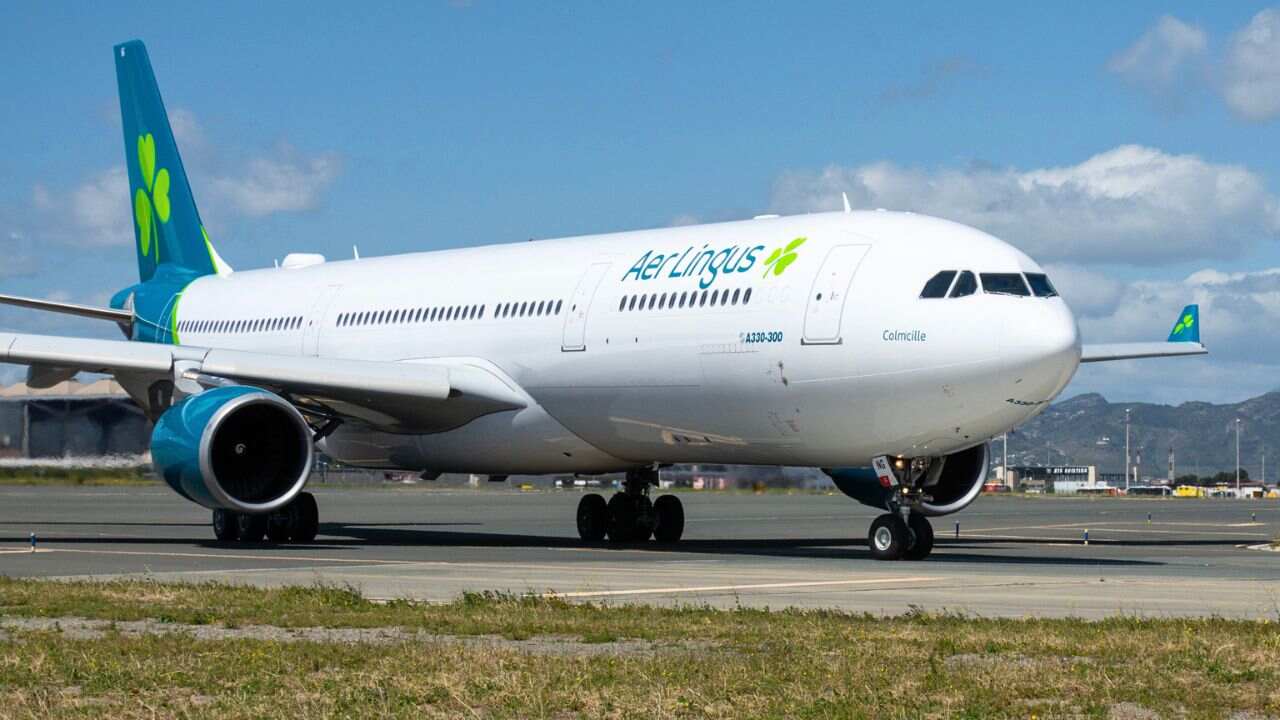 Is Aer Lingus Safe? Complete Safety Analysis & Reviews
 ![Where Does Southwest Airlines Fly? [Complete Route Map]](https://www.flightofficeworld.com/wp-content/uploads/2025/12/Where-Does-Southwest-Airlines-Fly.jpg) Where Does Southwest Airlines Fly? [Complete Route Map]
Where Does Southwest Airlines Fly? [Complete Route Map]  Frontier Discount Den Membership
  Is Envoy Air Safe to Fly?
  Where does Qatar Airways Fly?
 ![Where Does Avelo Airlines Fly? [Complete List of Destinations]](https://www.flightofficeworld.com/wp-content/uploads/2026/01/Where-Does-Avelo-Airlines-Fly.jpg) Where Does Avelo Airlines Fly? [Complete List of Destinations]
Where Does Avelo Airlines Fly? [Complete List of Destinations]  United Airlines Seat Selection Guide 2026
  Is Aegean Airlines Business Class Worth It? Review (2026)
  What Airlines Fly Direct From Gatwick to Glasgow Airport?
  Best Time To Book Southwest Airlines Flights In 2026?